You’re all set 🎉
BillableCalc Timer is installed. Three quick tips:
- Pin it so the timer is always one click away: click the puzzle icon next to the address bar, then the pin next to BillableCalc Timer.
- Add your first client and hourly rate, then press Start.
- Start or stop without opening anything: Alt+Shift+T.

A billable hours timer that turns into an invoice
BillableCalc Timer is a free Chrome extension for freelancers. Start a timer per client, watch what you earn at their rate, and send your hours to an invoice in one click.
Add to Chrome — it’s freeSee Pro- No account, no sign-up
- Your data stays in your browser
- Works offline
One-click timer
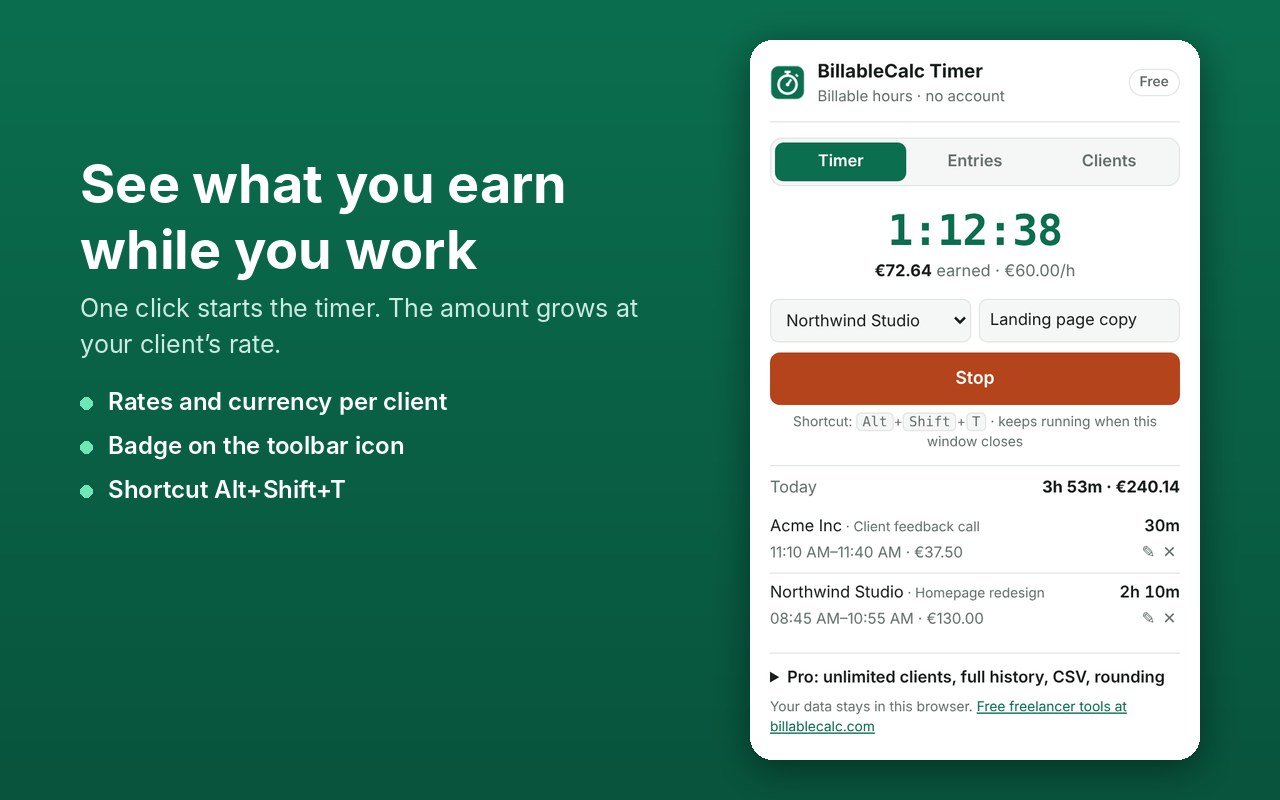
Pick a client, type what you’re working on, press Start. The timer keeps running when the window closes.
See what you earn
Each client has an hourly rate and currency. The amount grows while you work.
Badge and shortcut
Elapsed time on the toolbar icon. Alt+Shift+T starts or stops it from any tab.
Entries you can fix
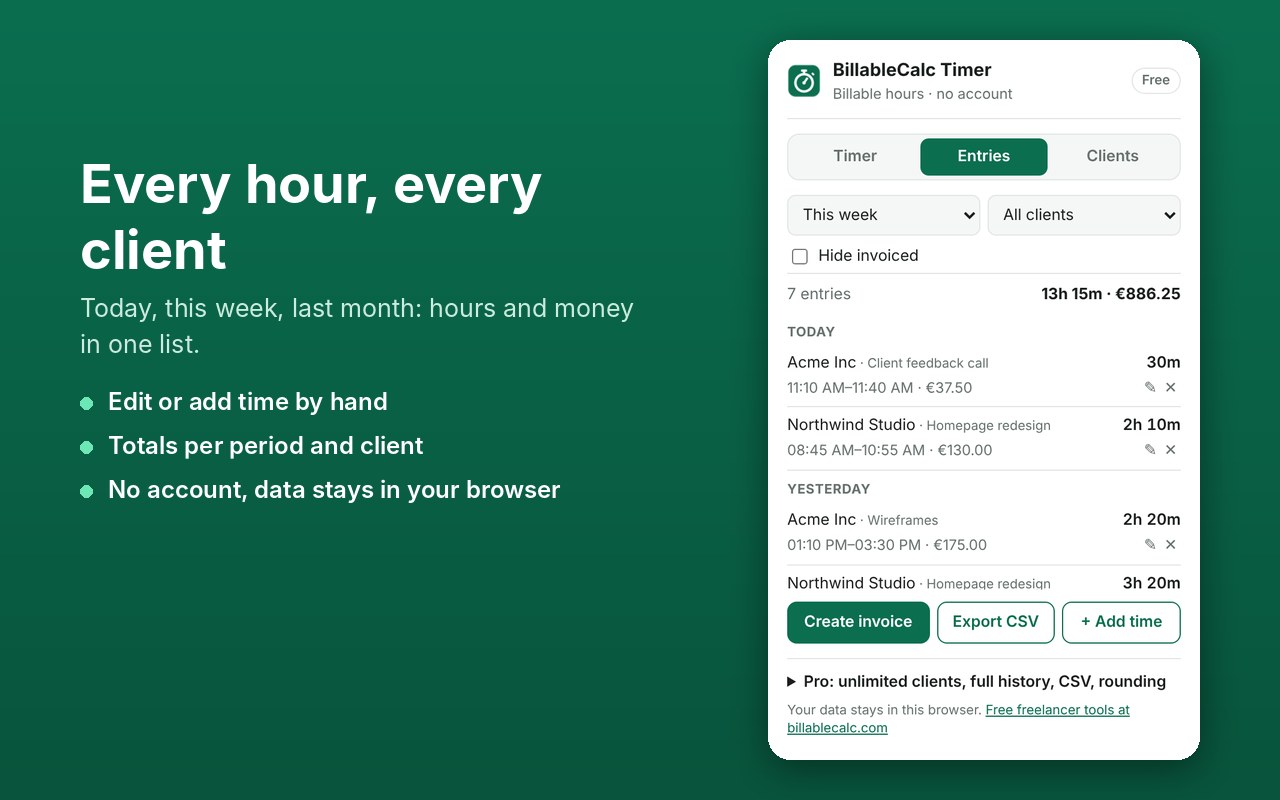
Forgot to start the timer? Add time by hand or edit start and end of any entry.
Invoice in one click
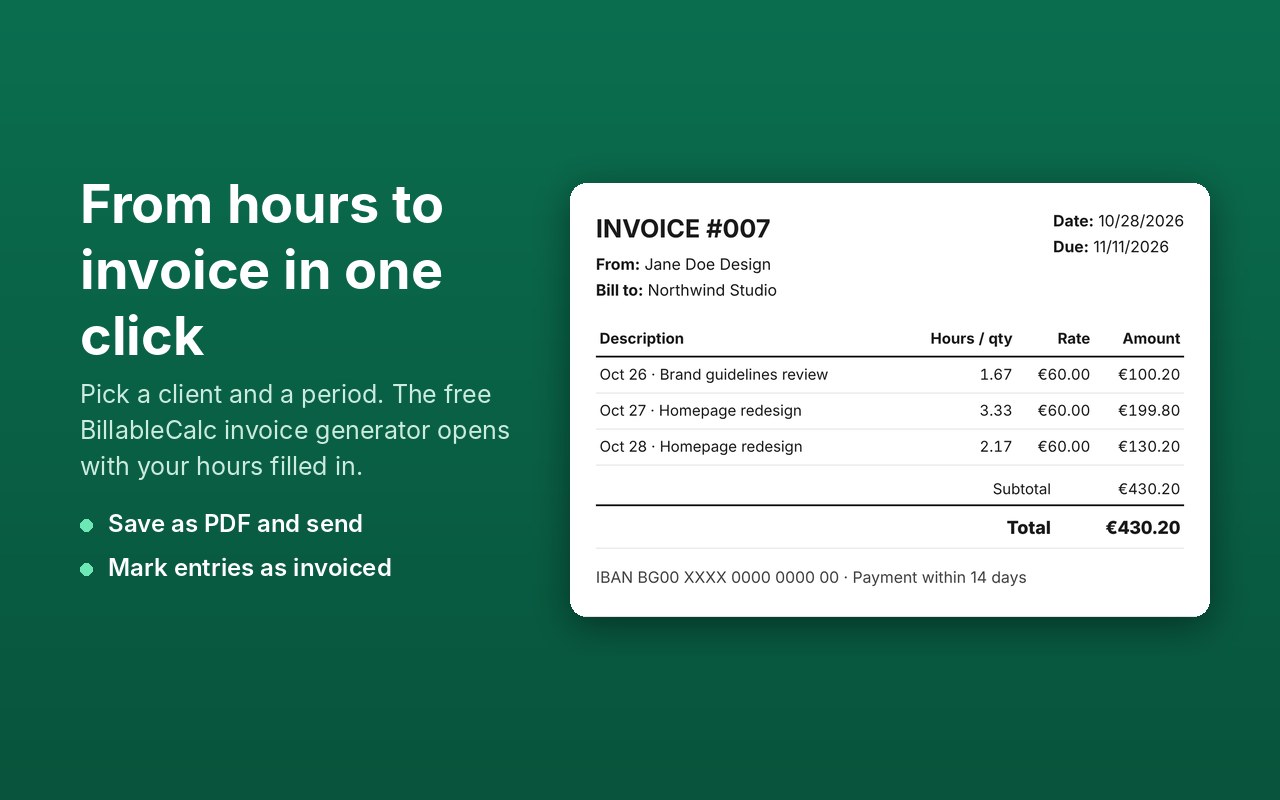
Choose a client and a period. Our free invoice generator opens with your hours filled in.
Private by design
No servers, no tracking. Hours and clients are stored in your browser only.
How it works
- Install BillableCalc Timer from the Chrome Web Store and pin it to the toolbar.
- Add a client with an hourly rate, then press Start when you begin working.
- At the end of the week open Entries, pick the client and press Create invoice. Save the invoice as PDF and send it.
Free and Pro
The timer and invoices are free. Pro is for freelancers with many clients.
Free
- Timer, badge and shortcut
- Up to 2 clients
- Last 14 days of entries
- Invoices in one click
Pro
or $29/year — cancel any time
- Unlimited clients
- Full history
- CSV export for your accountant
- Round billed time up to 6, 15 or 30 minutes
After buying Pro, paste the license key from your Gumroad receipt into the extension (Pro → Activate).
Questions
Do I need an account?
No. Install the extension and start tracking. There is nothing to sign up for.
Where are my hours stored?
In your browser’s local extension storage on your computer. We have no servers that receive them. Removing the extension deletes them, so export a CSV (Pro) or create invoices before you uninstall. See the privacy policy.
How does “Create invoice” send my hours to the website?
The hours travel inside the link, after the # sign. Browsers never send that part to the server, so the invoice is built on your computer only.
Does the timer keep running if I close the browser?
Yes. The timer stores its start time, so it shows the right time when you open the browser again. Stop it when you finish work, or fix the end time later in Entries.
Can I bill clients in different currencies?
Yes. Each client has its own currency, and totals are shown per currency. An invoice is created for one client at a time.
Why can the invoice total differ by a few cents?
Invoices show hours with two decimals (for example 1.67 h for 1 h 40 min), the way most clients expect. The popup counts exact seconds.
How do I cancel Pro?
Use the “Manage membership” link in your Gumroad receipt. Pro keeps working until the end of the paid period.
What hourly rate should I charge?
Try our freelance rate calculator and the guide on billable hours and utilization rate.
I need help
Email klachev.vitali@gmail.com — we usually reply within a day.